TakeForge
TakeForge is an Unreal Engine 5 editor plugin that turns raw motion-capture takes into production-ready animation assets - in one click, without leaving the editor.
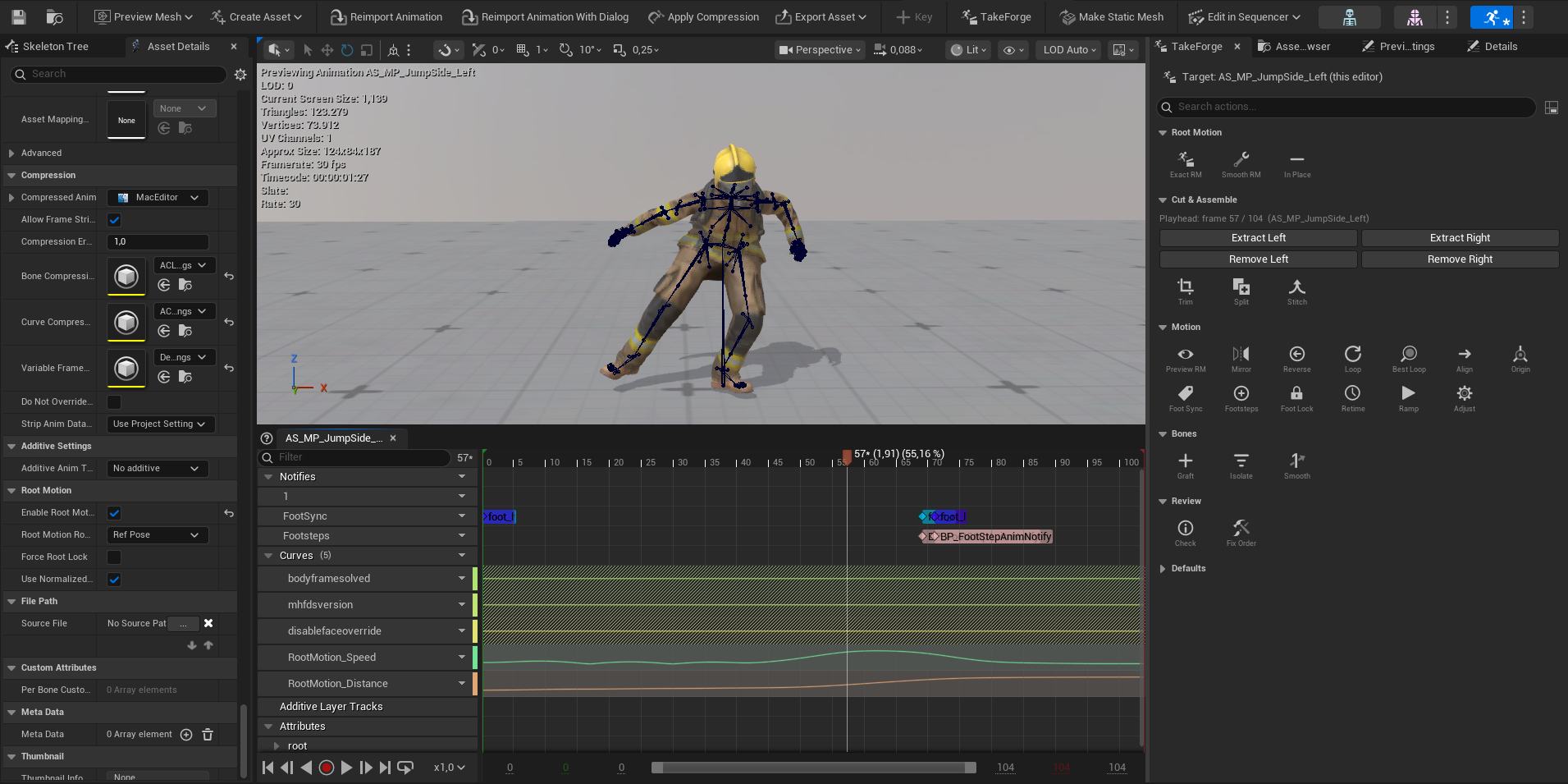
Markerless and suit-based mocap almost never produces usable root motion: the
skeleton's root bone stays pinned at the origin while the pelvis carries all of
the character's travel. In UE that means the capsule stands still while the mesh
walks away from it. TakeForge fixes this directly on your imported
AnimSequence assets - no FBX round-trips through a DCC.
What it does
| Problem | Action | Result |
|---|---|---|
| Takes live on the wrong skeleton | Retarget Takes | Batch retarget from your selection - by skeleton or IK Retargeter - settings remembered, output cleaned up in the same pass |
| Capsule doesn't follow the character | Exact / Smoothed Root Motion | Pelvis travel is transferred to the root bone; the visible pose is untouched |
| Need in-place clips for blendspaces | In Place | Travel is removed from the animation; original speed is preserved as curves |
| Takes are headed for a motion matching database | Add Motion Matching Curves | enable_warping, movedata_speed, gait phase and foot contact curves, written in one pass |
| Takes don't cycle | Make Loopable | End of the clip is blended into the start pose |
| Where does this idle loop best? | Find Best Loop | The window with the best endpoint pose match, trimmed and looped in one click |
| Feet slide after processing | Foot Lock | Feet pinned during ground contact with a baked two-bone leg IK |
| Feet float above or sink through the floor | Foot Lock → Ground snap | Planted feet put back on the ground, measured against the rig's own rest pose |
| Actor walked diagonally | Align Travel Direction | The whole take is rotated so travel runs along the forward axis |
| Take starts away from (0,0,0) | Start at Origin | The whole take is shifted so the root's first frame sits at the origin |
| Captured only the left-side variant | Mirror | Baked left↔right mirrored copy - bones, root motion, and sync markers swap sides |
| Need it played backwards | Reverse | Baked backwards take - notifies, curves, and re-anchored travel included |
| The impact deserves slow motion | Speed Ramp | Variable playback speed baked from (frame, speed) control points |
| Calibration poses, multi-action recordings | Trim to Range / Split into Segments | Frame-range editing directly on assets |
| Blendspace clips need round speeds | Retime to Speed | Rate Scale set so the clip plays at an exact cm/s |
| Only the upper body should animate - or one limb needs cleaning | Isolate Bones | Keep chosen branches animated, or reset exactly those branches |
| Jittery wrist in an otherwise good take | Smooth Bones | Gaussian smoothing on chosen branches, whole clip or frame windows |
| Good body, wrong head / attack / face | Graft Bones | Another take's movement spliced - or layered additively - onto chosen branches |
| Two takes should play as one | Stitch Takes | One take appended after another with a crossfaded, root-motion-continuous transition |
| "What is this take, actually?" | Check Take | Travel, speed, foot plants, loopability report |
Every processed clip also gets foot sync markers (heel strikes) and speed/distance curves automatically, so the output drops straight into blendspaces, sync groups, and distance matching.
Where it lives
- Content Browser - right-click any selection of Animation Sequences → TakeForge. Batch-friendly.
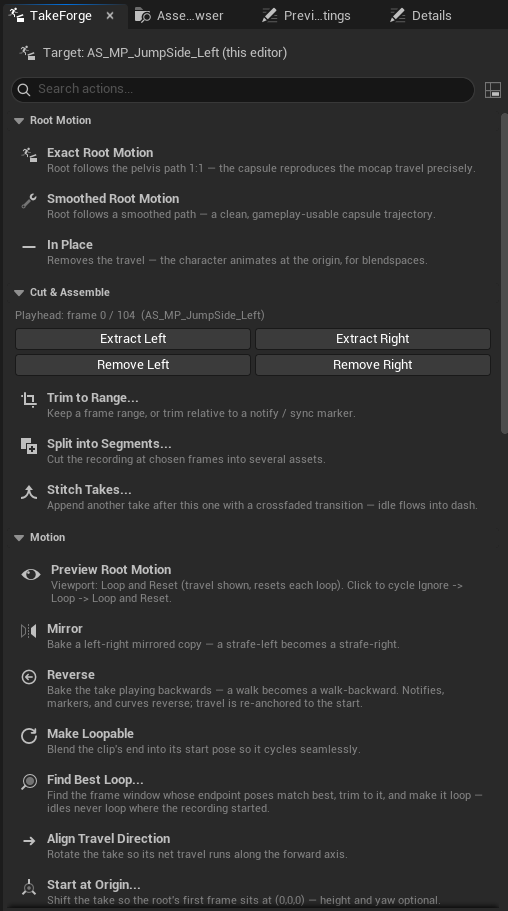
- In every Animation Editor - a TakeForge tab in the editor's Window menu (or the toolbar button). Dock it once and it persists in the Persona layout across every animation you open, always acting on that editor's own animation - the header shows the target. Action options open inline in the panel with Apply/Cancel, like a Details pane. Tools show as a compact icon grid by default (hover for details); a toggle beside the search box switches to a full-text list.
- The standalone panel - Window → TakeForge from the main editor window: the same panel driven by your current Content Browser selection, for batch work across many takes.
- The API - every action is callable from Python,
Blueprint, and editor C++ via
TakeForgeLibraryfor whole-folder automation and custom tooling.
Requirements
- Unreal Engine 5.6, 5.7 or 5.8 (Mac and Windows) - one build serves all three, with no features compiled out on the older two
- Any humanoid skeleton - MetaHuman/UE5 names are auto-detected, everything else is configurable
Continue with Installation.