Root Motion Modes
The three primary outputs answer one question: where should the character's travel live - on the root bone (driving the capsule) or nowhere (in-place)?
All three read the pelvis's motion through the full bone chain, then re-solve the pelvis against the new root so the visible pose is mathematically unchanged for the root-motion outputs. You never lose animation detail.
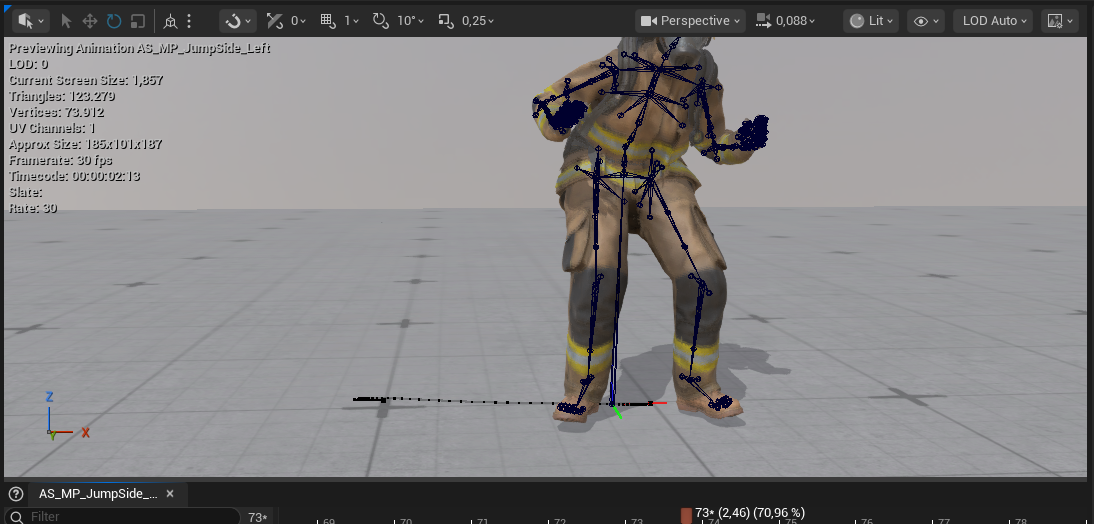
Exact Root Motion - *_RootMotion
The root bone follows the pelvis's ground-plane path 1:1, including every sway and wobble of the actor's hips. The capsule reproduces the mocap travel precisely.
Use when: you want maximum fidelity to the capture - cinematics, close-up traversal, motion-matching databases where the true trajectory matters.
Smoothed Root Motion - *_RootMotionSmooth
The root follows the pelvis through a Gaussian filter: the capsule gets a clean, gameplay-usable trajectory while the mesh keeps all the raw mocap character. Because the pelvis is compensated exactly against whatever path the root takes, smoothing the root changes nothing visually - it only changes how motion is split between capsule and mesh.
Smoothing strength (sigma, in frames):
| Setting | Effect |
|---|---|
| Light (~2) | Removes tracking jitter only |
| Medium (~4, default) | Removes hip sway - typical gameplay root motion |
| Strong (~8) | Near-straight path |
| Higher | Increasingly straight; the mesh carries all deviation |
The filter is reflection-padded, which preserves velocity at the clip's start and end - the root never lags behind the pelvis at the boundaries, so there is no capsule/mesh offset when blending in or out of the clip.
Use when: gameplay root motion - locomotion montages, traversal moves, anything where the capsule path should be intentional rather than wobbly.
In Place - *_InPlace
The travel is removed from the animation: the character animates at the origin. Rather than pinning the pelvis (which looks dead), the tool subtracts the smoothed travel path - natural sway and bob survive, only the transit is gone.
The original motion isn't lost:
RootMotion_Speed/RootMotion_Distancecurves record the removed travel- foot sync markers are placed for blendspace sync groups
- the completion notification reports the take's true average speed
Use when: blendspaces and gameplay-driven locomotion, where the movement component decides how fast the character moves and the animation just has to match.
Options shared by all three modes
- Start at origin - subtracts the first-frame offset so the clip begins at (0,0)
- Transfer yaw - the character's turning also goes to the root (smoothed in smoothed mode); needed for turn animations with root motion
- Transfer vertical - up/down motion goes to the root too; off by default, because on ground locomotion it would pump the pelvis bob into the capsule. Turn it on for takes whose height is the motion: jumps, ladders, climbs, vaults. With it off the root reproduces X and Y and holds one height, and no choice of follow bone changes that - the height is dropped after the bone is sampled. From 1.23 the completion notification tells you when a take with real vertical travel was converted with the setting off
- Enable Root Motion is set automatically on root-motion outputs and left off for In Place
See Settings Reference for every option.