Footstep Notifies
Place a footstep anim notify at every detected foot plant - your
footstep-sound Blueprint on each heel strike, in one click. Notifies land on
a dedicated Footsteps track; re-running the tool replaces them instead
of stacking. Always in place (it's metadata, no new asset).
Panel: Motion → Footsteps. Context menu: TakeForge → Add Footstep Notifies...
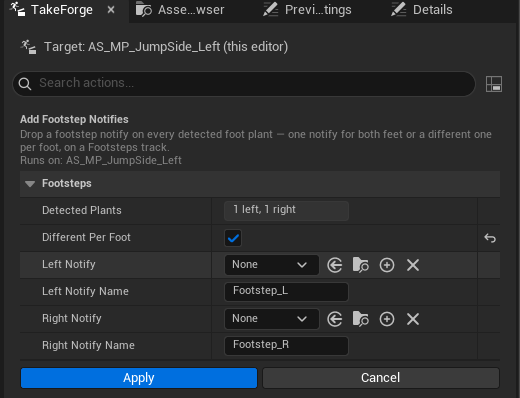
Options
| Option | Meaning |
|---|---|
| Detected | Read-only: how many steps the tool found per foot in this take |
| Different notify per foot | Off = one notify for both feet; on = separate pickers for left and right |
| Notify | A UAnimNotify class - typically your footstep-sound / footstep-VFX Blueprint notify. Leave None to place a named notify instead |
| Notify Name | Used when no class is picked: places a named skeleton notify (default Footstep, or Footstep_L / Footstep_R per-foot) |
Class notify vs. named notify
- Class notify (e.g. an
AnimNotifyBlueprint that plays a sound): each plant gets its own instance of the class, ready to configure. Nothing else is touched. - Named notify: fires the
AnimNotify_<Name>event on your Anim Blueprint - the classic pattern for footstep logic that lives in the AnimBP. The name is registered on the Skeleton so it shows up in notify pickers and the AnimBP event list; the first use of a new name therefore also dirties the Skeleton asset (the notification reminds you to save it).
Detection details
Same foot-plant detection as foot sync markers (foot bones and contact height fraction come from Settings), with two footstep-specific rules:
- A foot that is already planted on frame 0 doesn't count - that's the clip's initial state, not a step. No double-thud when the clip starts.
- When both feet land on the same frame (jump landings), the right foot's notify is offset by half a frame. Persona scatters exactly simultaneous notifies onto separate tracks, which would break replace-on-re-run; half a frame is inaudible and keeps the track tidy.
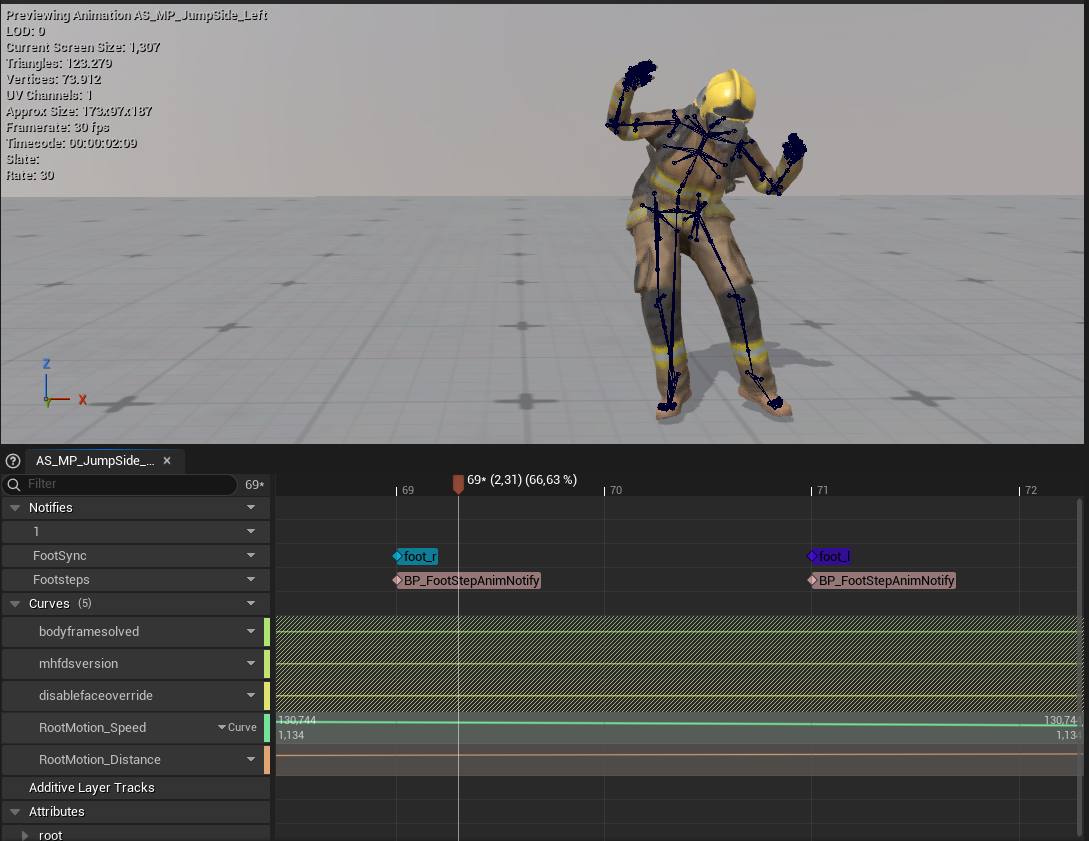
Markers and footsteps are independent
Foot sync markers drive blendspace phase-sync;
footstep notifies drive game events (sounds, decals, camera shakes). Run
either or both - they live on separate tracks (FootSync / Footsteps).
Scripting:
# one named notify for both feet
unreal.TakeForgeLibrary.add_footstep_notifies(seq, None, 'Footstep', None, 'Footstep')

# per-foot sound notify classes
cls_l = unreal.load_class(None, '/Game/Audio/AN_FootstepL.AN_FootstepL_C')
cls_r = unreal.load_class(None, '/Game/Audio/AN_FootstepR.AN_FootstepR_C')
unreal.TakeForgeLibrary.add_footstep_notifies(seq, cls_l, 'x', cls_r, 'x')