Isolate Bones
Keep animation only on the parts of the skeleton you care about - or the
opposite: clean exactly one branch and leave everything else intact. Output
suffix: *_Isolated (keep mode) or *_Stripped (remove mode).
The classic use case: you captured a full-body take but only want the upper
body. Select clavicle_l and clavicle_r, and everything beneath them (arms,
hands, fingers) keeps its animation while spine, pelvis, legs, and head go
static - ready for a Layered Blend per Bone overlay.
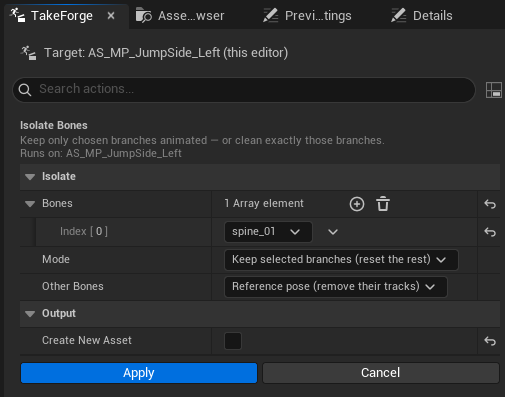
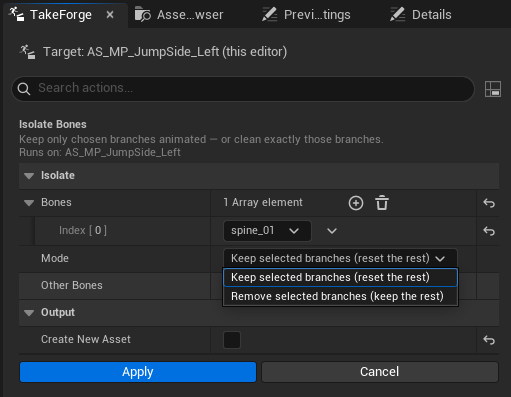
How selection works
The Bones list is a searchable dropdown filled with the target skeleton's bones. Each entry selects a branch: the bone itself plus everything beneath it in the hierarchy. Add as many branches as you need - both clavicles, a single hand, the head chain.
Your selection persists between runs, so producing complementary pairs (an upper-body-only take and its lower-body counterpart) is two clicks with the mode flipped.
Options
| Option | Meaning |
|---|---|
| Bones | Branch roots - each affects the bone and all of its descendants |
| Mode | Keep selected branches (reset the rest) or Remove selected branches (keep the rest) |
| Other Bones | What reset bones do: Reference pose (their tracks are removed) or Hold their first-frame pose (a constant key from frame 0 - looks more natural in preview than an A-pose torso) |
| Create New Asset | New *_Isolated / *_Stripped copy (default) or in-place rewrite |
What is (and isn't) touched
- Only bone tracks are affected. Float curves, notifies, and sync markers stay untouched.
- The root is treated like any other bone - isolating the clavicles also
strips root travel. Add
rootto the list if you want to keep root motion. - Reset is done by removing or overwriting whole tracks, never by authoring counter-animation - the asset stays small and Ctrl+Z restores everything.
Mocap gloves dropped out for a few seconds? Remove selected branches on
hand_r with Hold their first-frame pose freezes just that hand while the
rest of the performance survives. For softer repairs, see
Smooth Bones.
Scripting:
# keep only the arms
ok, err = unreal.TakeForgeLibrary.isolate_bones(seq, ["clavicle_l", "clavicle_r"], False)
# clean exactly the right hand, freezing its first frame
ok, err = unreal.TakeForgeLibrary.strip_bones(seq, ["hand_r"], True)